

Roofing Estimating Software That Measures, Prices and Gets It Signed
Updated 2026-10-26
Roof Flow AI is roofing estimating software that measures the roof from an address and builds the estimate from your own material catalog and margins. It sends that estimate for e-signature from the same CRM, keeping the measurement, scope and signed agreement on the lead.
For a roofing-company owner, the buying decision is about the whole estimate: where quantities come from, whose prices are used, how margin is controlled and what production receives after the sale. This guide follows those decisions without treating an automated measurement as a substitute for reviewing the roof.
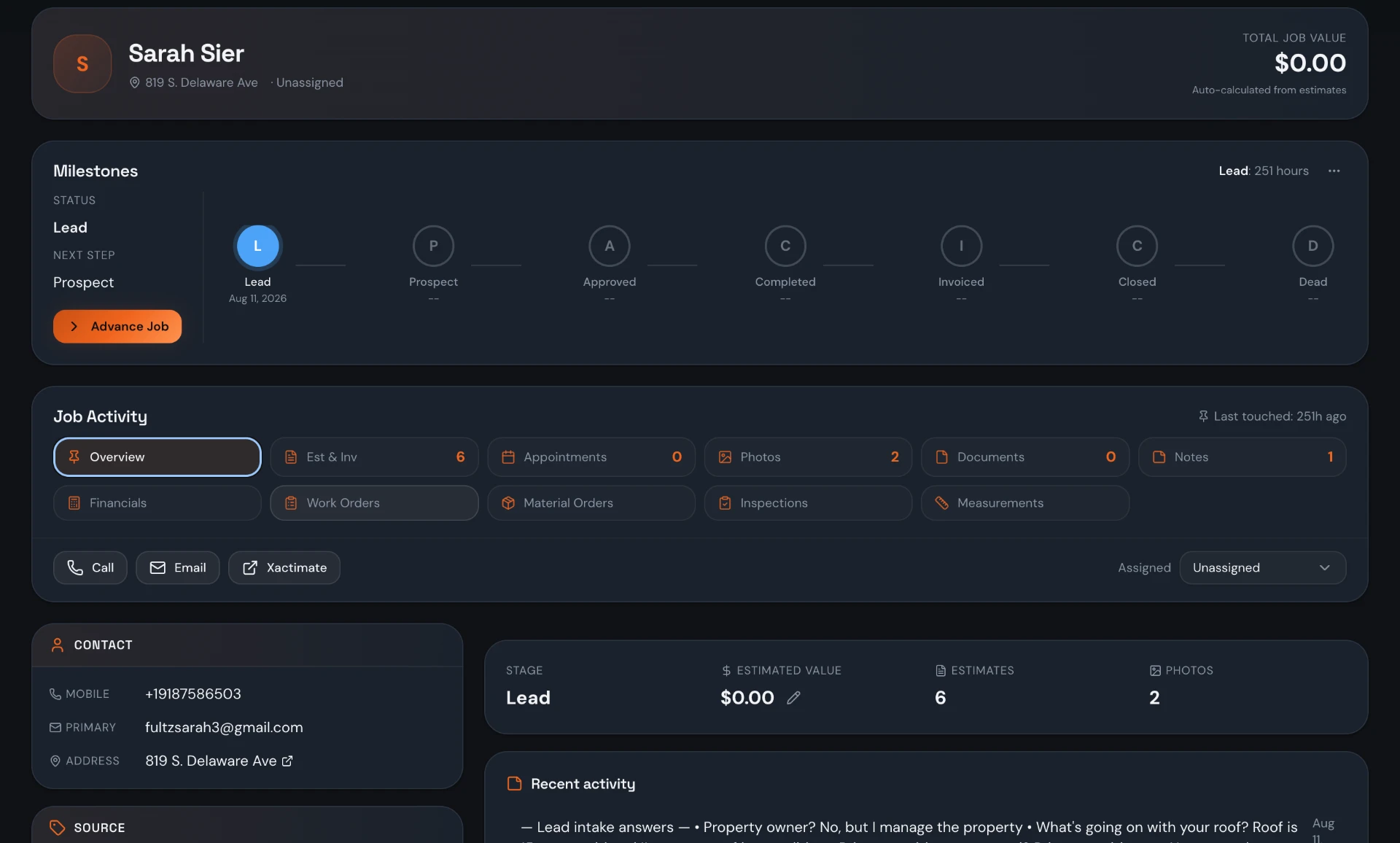
How roofing estimating software works
The sequence is address → measurement → material kit → priced estimate → e-signature. Start with the lead and property address, measure the roof, choose the materials for the scope, review quantities and selling prices, then send the estimate to the homeowner. Keeping those steps attached to the lead gives the office a place to check the inputs instead of searching separate files.
The measurement describes the roof; the takeoff turns dimensions into product quantities; the estimate applies prices and margins; the proposal asks the homeowner to agree to the work. Those are separate decisions even when the same software supports them. Before sending a quote, confirm the property, material choice, units, waste and included scope. A calculated quantity is only useful when the underlying assumptions fit the job.
When evaluating roof estimating programs, bring your own material list and a representative property to the demo. Ask to see a measurement become a kit-based estimate and then a signing request. Include a roof with several facets, not just a simple rectangle, so you can discuss where the estimator must review linear quantities and roof details.
Roof measurements: AI, manual tracing and EagleView
Roof Flow AI provides AI roof measurements from an address. It also supports manual roof tracing on a satellite map with per-facet pitch and edge classification. These are different ways to establish the dimensions you use for estimating. Choose the method that suits the property and review the result against the roof you are actually quoting.
Measurements are saved per lead and versioned. Keep the measurement you used with the job so another estimator can understand the basis of the scope. If you remeasure or trace a different outline, review the resulting quantities before using them in an estimate. A roof estimating app should support that review, rather than encouraging the team to treat every new result as interchangeable with the previous one.
EagleView report ordering is available from the lead's Measurements tab. Connecting the EagleView account and ordering a report are separate actions: connect the account once, then order for the particular lead. External reports may carry their own charges; unlimited included AI measurements do not make EagleView reports free. Choose the report option when you need it for the property and material decisions.
The honest limitation matters before an order: AI measurement area and pitch are accurate, but linear quantities are estimated from roof area and can run low on complex roofs. Trace the roof or order an EagleView report before ordering material. Do not use area alone as proof that ridge, hip, valley and edge quantities are sufficient for the installation.
Roofing takeoff software: material catalogs and kits
The material catalog is your starting point for the products you price. Material kits bring those products together with quantity formulas and a waste percentage, so an estimator can prepare a repeatable scope rather than recreate every line from memory. Build kits around the materials your company sells and check how each formula translates a measurement into the unit you purchase.
Review squares, bundles, rolls, pieces and linear quantities as units, not just numbers. Waste is part of the quantity calculation, not a guarantee that every roof detail is covered. A kit should be reviewed for the roof type and scope before use. Complex geometry still needs attention, especially where linear quantities come from an area-based estimate rather than traced edges or a report.
Supplier price-list import includes a diff before changes apply, an undo option and a flag for price moves over 25%. That review step helps the office inspect changes instead of accepting a whole list without looking. Confirm product matching and units, review flagged movements and use undo if the import is wrong. A price-list import is not a claim of a live distributor integration or stock availability.
Roofing quote software with pricing and margin control
Roof Flow AI supports a company default margin, per-line profit margin and a manual price lock. The default provides a starting policy; line-level control handles the actual scope; a locked selling price preserves a deliberate manual choice. These controls give the estimator ways to price the work, but the owner still needs a policy for when a line should depart from the default.
Before adopting a kit, check the catalog costs and the margin on a sample estimate. Then review a line that needs a manually chosen selling price and show the team how that choice is represented. Do not assume that setting a margin makes the underlying cost correct. Review the quantities and cost inputs alongside selling prices, and distinguish a price decision from a measurement correction.
Use the demo to discuss who prepares the estimate and who reviews unusual scopes in your business. Software cannot decide whether an installation detail, access issue or omitted item has been allowed for. A clear review process makes the pricing controls useful without promising that every quote will produce a particular profit.
Roofing proposal software and e-signature
Once the scope and price are reviewed, send the estimate for e-signature. The homeowner signs by email and the signed PDF is stored on the lead. Keeping that agreement with the job means the office can find the document that was accepted, rather than relying on a rep's inbox or an unrelated file folder.
Documents and photos can be included on estimates. Use them to support the proposed scope and the discussion with the homeowner. Review the customer-facing content before sending: the property, materials, included work and documents should describe the job you intend to deliver. Signing software collects the signature; it does not write your legal terms, establish insurance coverage or decide whether a scope is suitable.
After the sale: production, invoices and profitability
Estimating is not the end of the job. Roof Flow AI also includes work orders, crew dispatch and material orders, so the sold scope sits in a platform that supports production. Give the installation team the relevant work instructions and verify material quantities before ordering. The measurement caveat still applies after the homeowner has signed; a signature does not validate the takeoff.
Invoicing and card payments continue the workflow, while job financials and job profitability help the office review costs and collections. QuickBooks sync connects the accounting side; Roof Flow AI does not replace your books or the need to reconcile them. Connected services and card processing can have separate costs. Ask to see the invoice and job financials in the demo, not only the proposal.
Spreadsheet, standalone measurement app or Roof Flow AI?
These are generic categories, not claims about a named vendor. A spreadsheet can suit a company with a reliable manual process. A standalone measurement app can supply roof dimensions while another system handles the estimate. Roof Flow AI connects estimating inputs with CRM and production tools. Compare the actual handoffs your team needs.
| Workflow | Spreadsheet | Standalone measurement app | Roof Flow AI |
|---|---|---|---|
| Measurement | Entered from another source | Primary purpose; methods vary | AI from an address, manual tracing and EagleView ordering |
| Material takeoff | Manually maintained formulas | Coverage varies; may need another tool | Catalog and kits with formulas and waste |
| Margin control | Your own formulas and review | Usually handled in an estimating tool; verify coverage | Company default, per-line margin and manual price lock |
| E-signature | Separate signing process | May need a separate proposal tool | Estimate e-signature; signed PDF on the lead |
| Connected to CRM & production | Manual handoff or custom connections | Depends on the tools and connections chosen | Lead records, work orders, material orders and invoicing |
What to look for in roof estimating software
Use this checklist with a sample job and your estimator. Ask to see each item rather than treating a product label as proof of coverage.
- Measurement choices: address-based AI, manual tracing and a report option, with limitations explained.
- Traceable inputs: saved measurement versions attached to the correct lead.
- Practical takeoffs: your catalog, purchasing units, kit formulas and waste percentage.
- Price review: an import diff, flagged large changes and a way to undo an incorrect list.
- Margin decisions: a company default, per-line review and deliberate manual price locks.
- Customer agreement: an email signing flow and a signed PDF retained with the lead.
- Production continuity: work orders, material orders, invoices and job financials beyond the quote.
What is included, and what does it cost?
The standard published Roof Flow AI rate is $120 per user, per month. Setup is free, there is no contract, crew seats are free and AI roof measurements are unlimited and included. Use the current pricing page to review your office-user count and available volume rates. Do not count an installer as a paid office user simply because they need crew access.
Separate the software subscription from external measurement reports and card processing. Bring your catalog, a roof address and the agreement you currently use to a demo. Walk through the estimate and ask how the same job continues into production and invoicing. That is the practical way to judge whether connected roof estimating software suits your company.
Frequently asked questions
What is roofing estimating software?
It combines roof dimensions, material quantities and selling prices into an estimate. Roof Flow AI supports that process from a lead's address through catalog-based estimating and e-signature in the same CRM.
Can I measure a roof from an address?
Yes. Roof Flow AI includes address-based AI roof measurements, manual satellite-map tracing and saved, versioned measurements per lead. Included AI measurements are unlimited.
Should I use AI linear quantities to order materials?
Not without review. Area and pitch are accurate, but linear quantities are estimated from roof area and can run low on complex roofs. Trace the roof or order an EagleView report before ordering material.
Can I use my own catalog and supplier price list?
Yes. The material catalog and kits support your products, quantity formulas and waste percentage. Price-list import offers a diff, undo and a flag for changes over 25%; verify matching and units before applying it.
How do I control profit margin on an estimate?
Use the company default margin, per-line profit margin and manual price lock. Review costs and quantities as well as selling prices; the controls do not guarantee profit.
Can the homeowner sign the proposal online?
Yes. Send the estimate for e-signature; the homeowner signs by email and the signed PDF is stored on the lead.
Where do I order an EagleView report?
Order from the lead's Measurements tab. Account connection is separate from ordering, and EagleView reports can have their own charges.
Are measurements and crew seats extra?
In-house AI roof measurements are unlimited and included, and crew seats are free. The standard published office-user rate is $120 per user, per month, with free setup and no contract. External reports and processing costs are separate.